Help Desk Migration: A Practical Playbook for 2026
A help desk migration playbook for small software teams: audit, field mapping, testing, cutover and rollback, plus what each migration route costs.
On this page
- Why small software teams switch help desks in 2026
- What does a help desk migration cost?
- The pre-migration audit you should not skip
- What must move on day one and what can stay archived
- Mapping fields, tags and workflows between two systems
- Testing and verifying the import before cutover
- Cutover day, parallel validation and the rollback decision
- The hidden risk nobody talks about: your knowledge base
- FAQ
A help desk migration has five stages: audit what you have, decide what moves on day one, map fields and workflows, test a dry run, then cut over with a rollback plan. For a small team the cost runs from free to a paid service charging, for example, $514 for 10,000 records, as of October 2026.
Key takeaways
- Most of the risk is in the audit, not the export. Oracle reports that 83% of data-migration projects fail or exceed budget or schedule.
- Move only what agents need on day one. Open conversations, contacts and current billing context; archive the rest with a retrieval path.
- Test the data the way agents use it. Matching record counts don’t prove relationships, attachments and fields survived.
- Name a rollback owner before cutover, with written conditions for calling it.
- Clean the knowledge base before importing it. Gartner found 61% of service leaders have a backlog of articles to edit, and an AI agent will repeat stale ones.
Your support inbox is open, but the system around it has become a problem. The bill keeps rising, agents switch tools to understand a customer, and a merchant’s plan or billing history is nowhere near the conversation. The hard part of moving isn’t clicking export. It’s keeping support working while the team, data and habits change. A good help desk migration is a service transition, not a software installation.
Why small software teams switch help desks in 2026
A small software team usually starts planning a move after a specific frustration repeats. The bill grows with each new seat. Supporting another app means paying for another workspace. Or agents lack an essential piece of context, such as the Shopify merchant’s current plan, when they open a conversation.
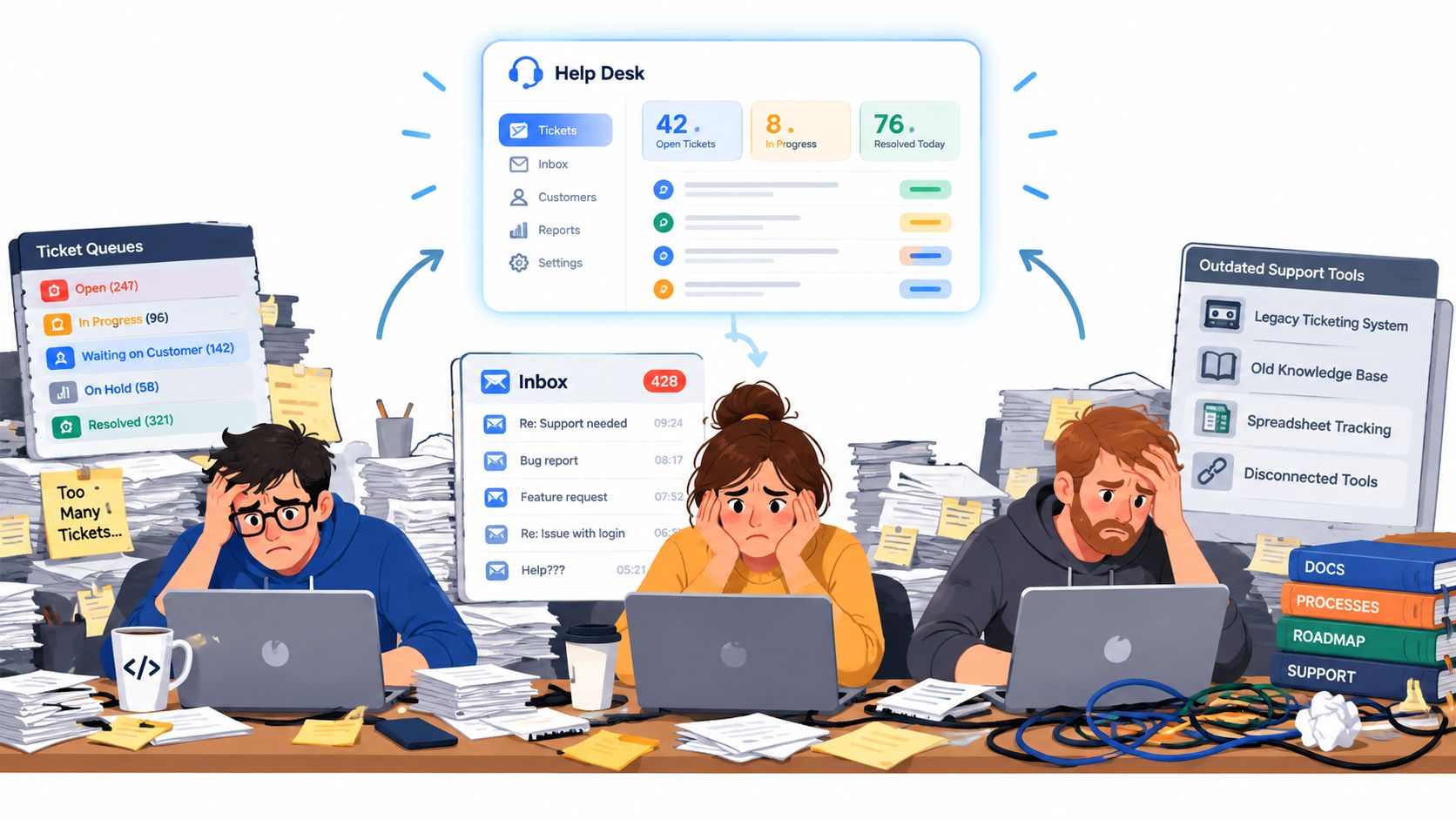
For Shopify app developers, billing context isn’t decoration. Shopify’s Partner API exposes a shop’s app subscription and billing data, which helps an agent tell a trial from a paid plan.
Before touching an export, write down the three jobs the new system must do better than the old one, and make each testable: “an agent can see the merchant’s plan beside a ticket” or “one inbox supports our apps without separate workspaces.”
Write down the three jobs the new system must do better than the old one. Don’t migrate until you can test those jobs.
The playbook below stays vendor-neutral, because a move depends on your records, integrations and tolerance for downtime more than on a feature list. For the planning decisions behind a legacy-system move, see CEFCore’s guide to 2026 data migration strategies. If you are still choosing the destination, our overview of Zendesk alternatives for small teams frames the tool decision.
What does a help desk migration cost?
A help desk migration costs nothing to about $514 for 10,000 records, depending on the route, and most migration guides never price them side by side. A small team has five ways to move.
| Route | Who runs it | Typical limits | Cost |
|---|---|---|---|
| New help desk runs it for you (Convot for Intercom, Zendesk, Freshdesk) | The vendor | Scheduled with the vendor; Convot’s Intercom move so far covered a year of history in a day | Free |
| Destination’s own one-click importer (Convot for Crisp) | You, from settings | The first run covers the last 180 days; Birdchime brought 3 years across in total | Free |
| Built-in importer (Help Scout, Plain, Front, Gorgias, Intercom) | You | Each documents gaps: Help Scout skips help articles and saved replies, Gorgias skips attachments, Plain skips CSAT and custom fields | Free to $500 per 500,000 records (Help Scout, above the first 500,000) |
| Paid migration service (Help Desk Migration) | The service | Price grows with record count; free demo of 20 tickets and 20 articles | $100 for 1,000 records, $514 for 10,000 |
| Manual export and import | You | Often loses threading, dates or attachments, depending on the export | Your time |
Sources: vendor documentation and pricing pages, checked 10 October 2026, collected in our guide to leaving Intercom or Zendesk without losing history, which links every row. Convot’s rows are our own data from two recent moves, each finished within a day: Birdchime, a Shopify app team, brought 3 years of Crisp history through the importer, and a SaaS team moved a year of Intercom history in a migration we ran. Zendesk and Freshdesk moves are offered but had not been run as of that check.
Whichever route you pick, the five stages below decide whether the move goes smoothly.
The pre-migration audit you should not skip
The audit is what stops a manageable project from becoming a surprise cleanup. Make one shared inventory before anyone clicks export: the source objects, who owns each, whether it moves, and how the new system will use it.
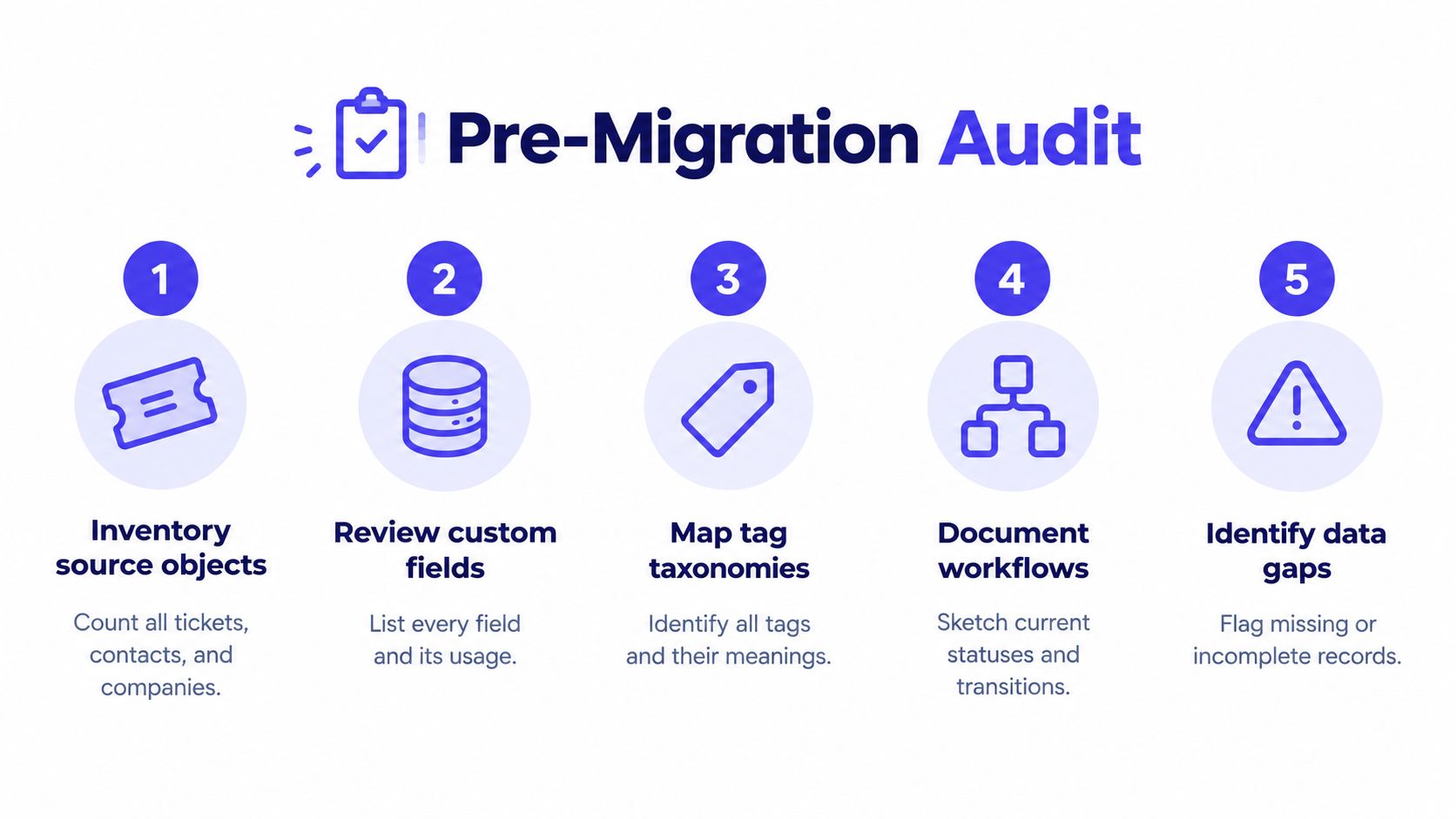
Start with what agents and customers touch: tickets, contacts, companies, conversations, attachments, tags and custom fields. Then document the operating layer: macros, saved views, business hours, SLAs, authentication, permissions and integrations. A ticket export won’t capture how a webhook creates work or which team owns an escalation.
Profile the data before mapping it
Flag null fields, duplicate identities, malformed timestamps, odd encodings and tickets whose links to users or companies are missing. A company field full of inconsistent names makes reports unreliable even when every ticket imports. Give each object a decision and an owner; if nobody can explain why a tag or macro exists, mark it for review instead of carrying it over.
Decide what happens to each workflow
Classify every workflow as must-preserve, redesign or retire. Routing billing problems to the right person is must-preserve; a tangle of old triggers may be a redesign; rules nobody follows are retired. Record these in a one-page scope document so mid-project requests have something to be checked against.
What must move on day one and what can stay archived
A small team needs enough reliable context on day one to answer live customers, keep ownership clear and avoid breaking active work. Everything else is a separate decision.
| Data type | Move on day one | Keep archived |
|---|---|---|
| Conversations and tickets | Active conversations and open tickets | Old closed tickets agents rarely need |
| Customer identity | Essential contact and company details | Duplicates or outdated records pending review |
| Shopify billing context | Current plan and relevant billing details | Older billing history, if it’s accessible elsewhere |
| Help center content | Reviewed, high-value articles for current products | Outdated or product-specific documentation |
| Macros and workflows | Rules and replies needed for live support | Retired macros and obsolete automations |
| Attachments and notes | Files and private notes tied to active cases | Older material kept for reference |
The test is practical: will an agent need this record to handle a customer’s current issue? If not, it can sit in read-only storage with a clear way to retrieve it.
Keep history separate from authority
Historical replies record what someone said; they aren’t current documentation. That matters more when the new help desk has AI or search that can surface old content. A narrower import reduces noise and stops stale macros from being mistaken for guidance. Archive doesn’t have to mean delete: keep a retrieval path, name an owner, and agree when agents should consult it.
Mapping fields, tags and workflows between two systems
Field mapping is a translation document, not a matching exercise. The two systems may use different words for the same idea, or the same word for different behavior, so decide what every value means before importing.
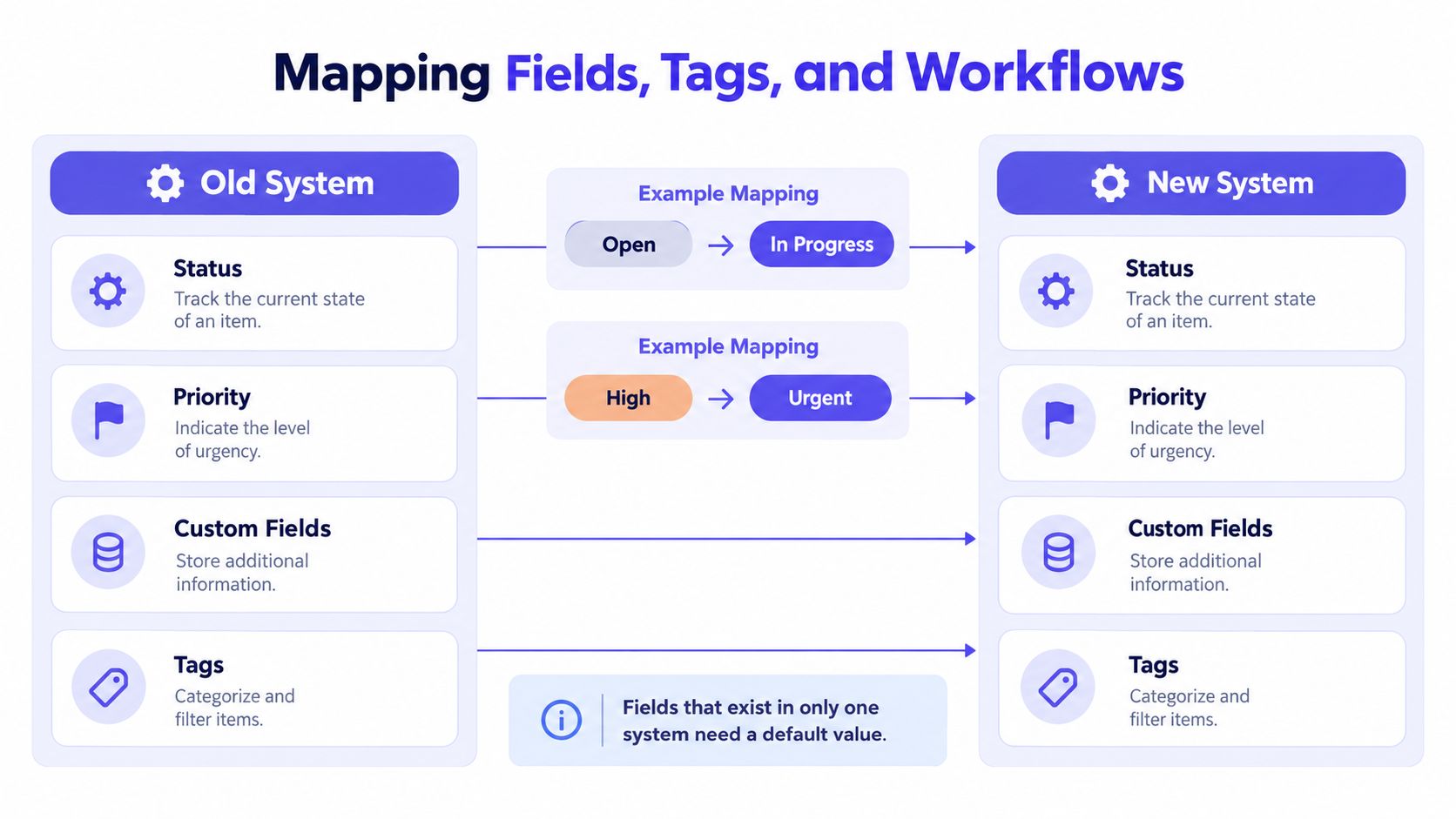
One system’s “Open” might be the other’s “In Progress”, but confirm how each treats assignment, customer replies and resolution before mapping them. The same goes for priority: “High” maps to “Urgent” only if teams use them the same way.
Write down the transformation rules
For each field, record source name, destination name, type, allowed values, and what happens when the value is blank or unsupported. A custom field that exists in only one system needs a deliberate decision. Tags need the same care: define which merge, which stay distinct and which retire. These system integration tips for SaaS founders help with dependencies beyond the help desk itself.
Order matters because records refer to each other. Migrate users and companies first, then tickets, then conversations and attachments, then events and reporting metadata. Tickets imported before their customers produce broken relationships that a simple count won’t catch.
Methods vary. Convot imports Crisp in one click, and moves from Intercom, Zendesk and Freshdesk are free and founder-assisted, run with you rather than by a button; our integrations overview lists them. Whatever the method, ask how it handles custom fields, notes, attachments and records that don’t map cleanly.
Testing and verifying the import before cutover
A completed import isn’t proof the migration worked. The ticket count can match while values have vanished, defaults have changed or tickets have lost their customer. Test the data the way agents will use it.
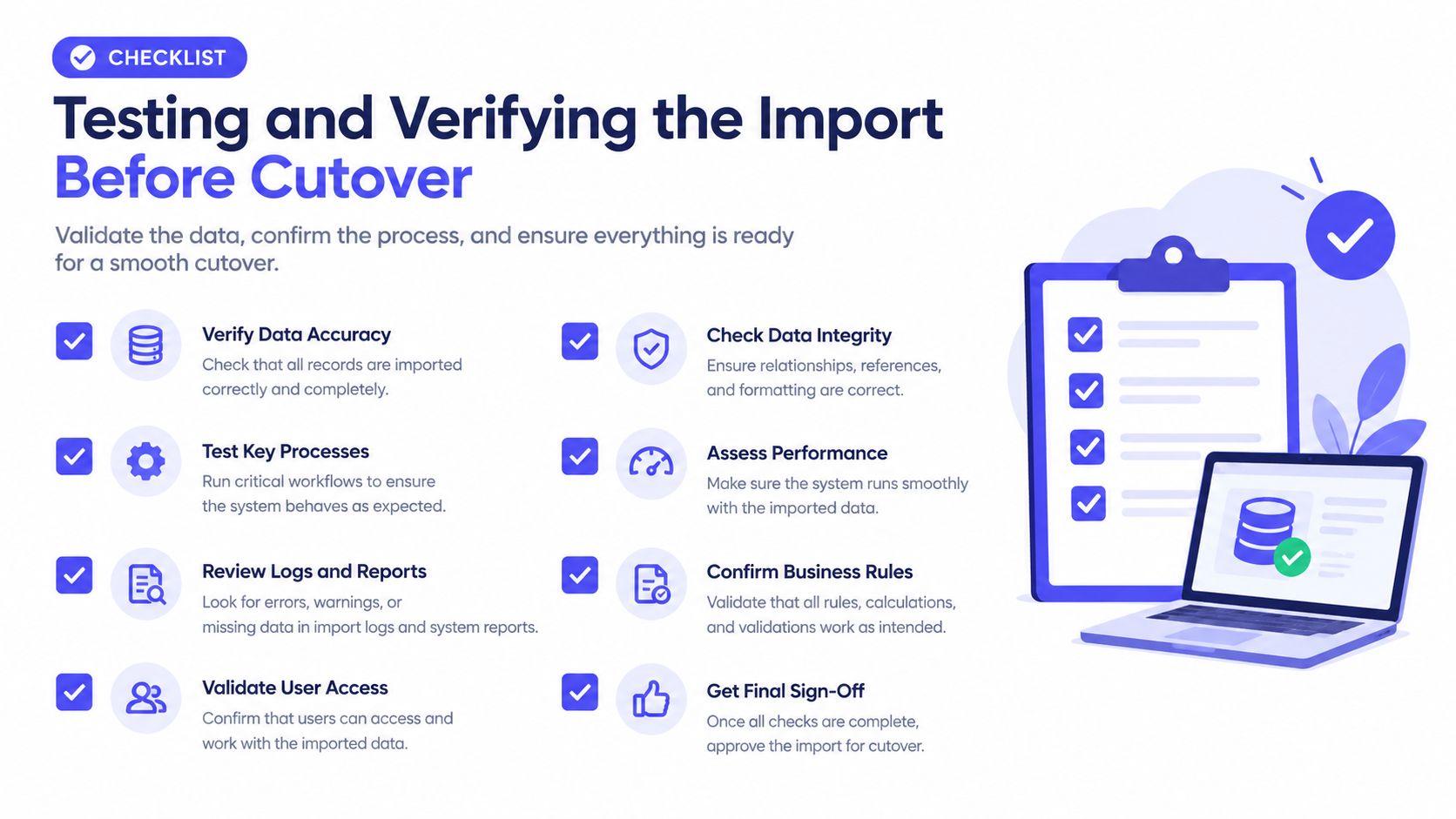
Start with a representative pilot in staging, including awkward cases: attachments, private notes, unusual statuses and custom fields. Have agents work real scenarios rather than review records passively; they find problems a data check misses.
Reconcile more than record counts
After the pilot, run a full dry run and compare source and destination: record counts, import errors, attachment totals, broken relationships, duplicate identities, and a sample of customer histories from different workflows. Oracle recommends profiling data and running a repeatable, end-to-end process with quality controls; its guidance reports that 83% of data-migration projects fail or exceed budget or schedule, with average cost overruns of 30% and time overruns of 41% (Oracle’s data-migration guidance). Treat that as a reason to build validation in, not a prediction for your team.
Agree acceptance gates before go-live:
- Mapping defects: no unresolved critical mapping issues.
- Permissions: every role reaches the right records and functions.
- SLA behavior: calculations and escalations work as expected.
- Integrations: a webhook or API connection tested for each external system.
- Relationships: sampled tickets stay attached to the right customer or company.
- Attachments: transferred files open in the destination.
If a test fails, record the defect, owner and retest result. Don’t waive a critical issue because the import finished.
Cutover day, parallel validation and the rollback decision
Cutover needs a named owner, a freeze window and a rollback decision written down before go-live morning. Without them, small failures turn into arguments while customers wait.
Higher-volume teams can run parallel validation: agents keep working in the old system while the new one is checked against live activity. Decide which system is authoritative, don’t let both send customer notifications, and don’t ask agents to reply twice.
Brief agents and customers plainly
Tell agents what changes at cutover: where conversations arrive, where to reply, how to find archived history and whom to call when something looks wrong. Tell customers if the support entry point changes.
Name one person to make the rollback call, with conditions set in advance: a critical routing failure, missing history on active cases, or duplicate contact the team can’t contain. Keep the old system available as a reference while the new one is monitored. In the first support cycle, compare first-response time, resolution time, reopen rate, misrouting, backlog age and duplicate contact against a pre-migration baseline.
The hidden risk nobody talks about: your knowledge base
A technically clean import can still make support worse if the new system surfaces obsolete documentation. Teams treat tickets, articles and macros as one pile of exportable content, but an article is presented as current guidance while a ticket only records a past reply.
The risk grows with AI. In a Gartner survey of 187 service leaders (July and August 2024), 85% planned to explore or pilot customer-facing conversational GenAI in 2025, while 61% had a backlog of knowledge-base articles to edit. Import an outdated article into a help desk with an AI agent and the migration makes old advice easier to repeat.
Add content checks to the migration scope
For each article, name an owner and the product or version it covers. Remove duplicates, update links and redirects for renamed content, and queue doubtful articles for review instead of publishing them as answers. If AI answers from your docs, check that it cites its sources and hands off to a human when unsure. Our guide to building a knowledge base covers ownership and article quality.
FAQ
How long does a help desk migration take?
For a small team, a help desk migration typically takes days to a few weeks end to end in our experience, most of it in the audit, mapping and testing. The data transfer itself can be quick: Convot’s two recent migrations, 3 years of Crisp history and a year of Intercom history, each finished within a day.
What data can you move between help desks?
Most routes move conversations or tickets, contacts and tags. Help center articles, saved replies, attachments, custom fields and CSAT often need a separate step or don’t transfer, depending on the importer. Check the destination’s documentation for each object before planning.
Is help desk migration free?
Help desk migration can be free. Built-in importers such as Help Scout’s are free up to a record limit, and some vendors, including Convot for Intercom, Zendesk and Freshdesk, run the move at no cost. Paid services such as Help Desk Migration charge by record count.
Should I migrate old closed tickets?
Migrate old closed tickets only if agents will search them. Many small teams move open conversations and the last year or two, and keep older history in a read-only archive with a clear way to retrieve it.
Convot is a help desk for small software teams, with one inbox for several apps and the Shopify merchant’s plan and billing context beside each conversation. Crisp imports in one click from the Crisp migration page, and Intercom, Zendesk and Freshdesk moves are free and founder-assisted. See plans or read how a Convot-run migration works.
Tarang Agarwal, founder of Convot. Migration route costs checked 10 October 2026; Oracle and Gartner figures checked 26 October 2026.
Revenue-aware support for Shopify app teams.
Live chat, help center, and every merchant's MRR, plan, and LTV beside the conversation. Free under $1k MRR.
Start free